
21 days free. No card needed.
Roster Printouts, PDFs and CSV Exports
A printed roster on the staff room wall is still the quickest way for some teams to check the week, and payroll needs the hours. WorkRoster prints PDFs and exports CSV files from the same roster. Printouts are designed to be easy to read:
- shifts in time order, with everyone on each shift listed
- each employee's photo and colour, so people find themselves quickly
- full colour or black and white, portrait or landscape, on A4, A3, Letter or Tabloid paper
Weekly roster

Monthly roster
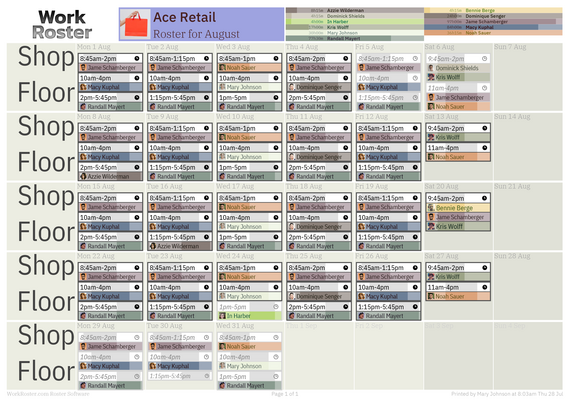
Shift report

Personal schedule

Staff contact list
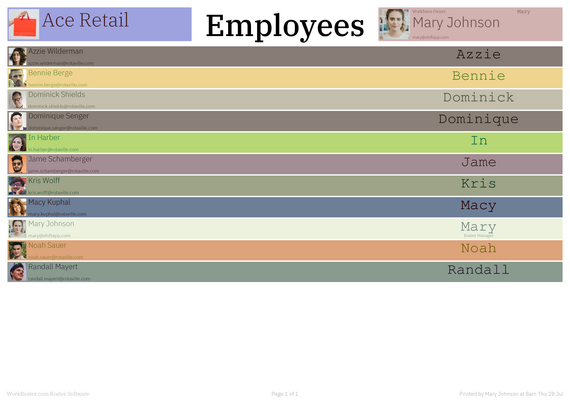
More printouts and exports
- A timeline PDF of the shifts on each day
- Schedules for each employee, client or resource
- Holiday and sick leave reports
- Lists and records of employees, clients and resources
- CSV exports: hours per employee, per client, per resource or per roster, shift details, empty shifts, and holiday and sick leave
- Any period: a week, a month, or dates you choose
Managers' printouts show every shift and assignment, whatever staff are allowed to see in the app.
Email the roster
Send a message to every employee with an email address, with a PDF of the full roster attached. It reaches staff who haven't set up their own login yet as well.
Common questions
Can I print in black and white?
Yes. Choose colour or black and white in your user settings, along with paper size and portrait or landscape.
Can I fit more on each page?
Yes. Change the number of lines per printed page in your settings: fewer lines for larger print, more lines to fit more on each page.
Can I export hours for payroll?
Yes. Export hours to CSV for any dates, per employee, client, resource or roster, and open the file in a spreadsheet.
Watch the print and export video for managers, or the printing video for staff.
21 days free. No card needed.