
Roster Software for Clinics and Healthcare Teams
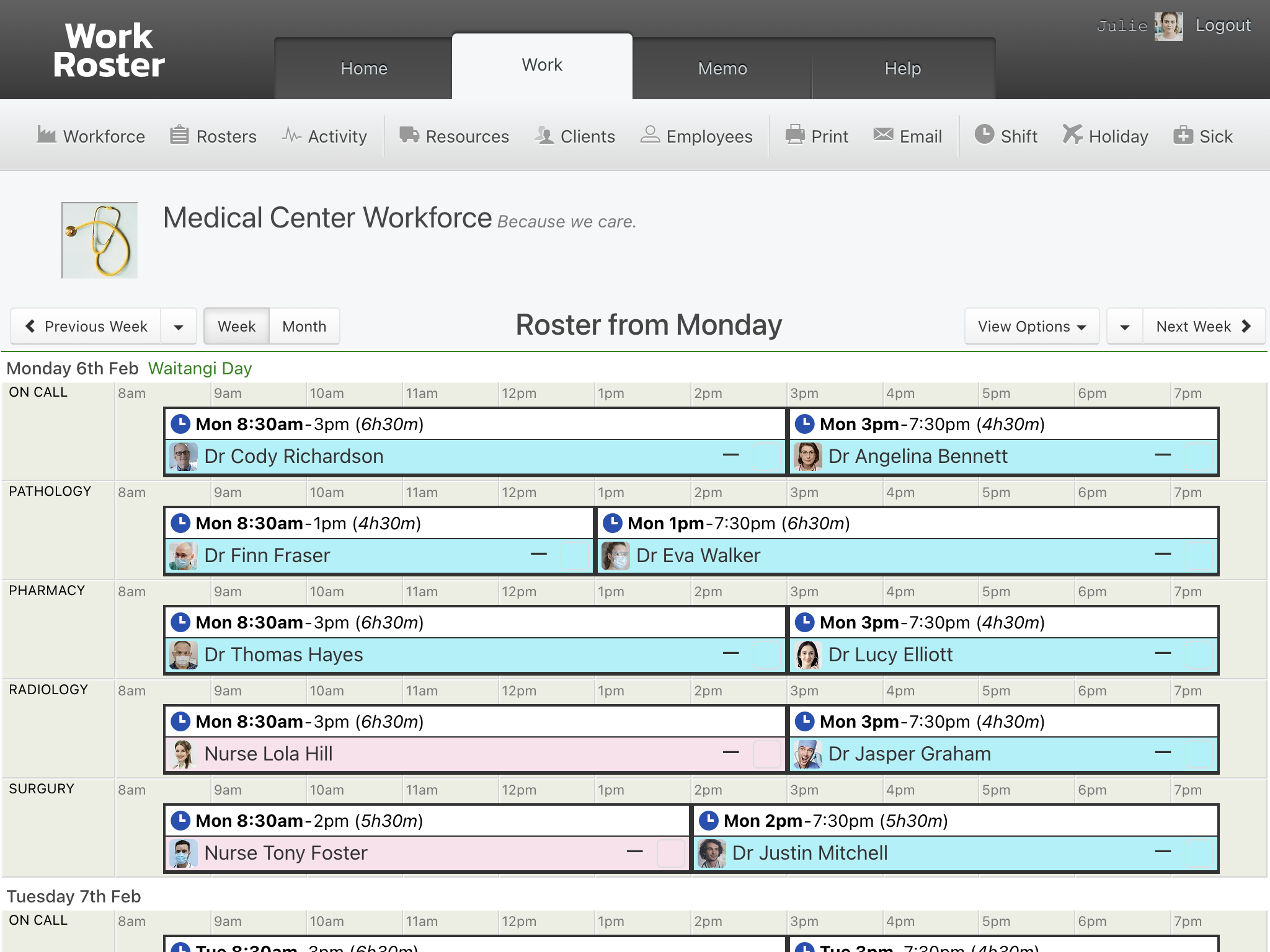
WorkRoster gives you one roster that everyone can see, so changes reach the right people at once and you can spend more of your time on patients.


How WorkRoster supports health teams:
- The right people on each shift: separate rosters for teams, sites or roles, with availability shown as you assign.
- The roster on every phone: staff check their shifts in the app, day or night.
- Changes sent straight away: staff are told when a shift changes, and double-booking warnings help avoid clashes.
- Breaks and hours: add breaks to shifts and see hours totals for each person.
- Short-notice absences: record sick leave and find someone free to cover.
Manage rosters for the whole team, across multiple locations, with printouts and CSV exports for hours, holidays and sick leave.
WorkRoster has been well received by the team after the usual scepticism! They enjoy being able to see when others are away without having to ask their manager. We also use the system to allocate our clinical rooms, which works very well.

Daniel Vincent
Practice Manager
Ryalls Park Medical Centre
Rooms and equipment
Who sees what
Common questions
Can we plan on-call cover?
Yes. Add on-call duties as shifts of their own, or keep them on a separate roster so they're easy to see.
Can a shift include a break?
Yes. Add a break to any shift, and it shows with the shift on the roster and in staff calendar feeds.
Can staff see only their own shifts?
Yes. Set Show All Shifts to Employees to "No, just their own" in your workforce settings.
Can I see total hours for each person?
Yes. The roster shows hours totals for each person, and you can export hours to CSV for any dates.
WorkRoster is a user friendly programme and we find it pivotal in managing the business needs and shifts of various departments.

Jo Haddington
Process & Admin Manager
Spire Healthcare
Try WorkRoster with your own team. The free trial lasts 21 days and needs no credit card.
Start free trial 21 days free. No card needed.